← Blog · Updated 2026-10-11
Remote support security: what to check
Remote support means giving software control of a PC, so security is not optional. Before you rely on a tool, check six things: encrypted transport with certificate pinning, signed and short-lived session tokens, logged sessions, hashed passwords, two-factor authentication, and least-privilege access on the client side.
1. Encrypted transport with certificate pinning
Traffic should run over TLS. Certificate pinning goes further: the client trusts only the real relay's certificate, blocking man-in-the-middle interception even on a hostile network.
2. Signed, short-lived session tokens
Each session should be authorized by a signed token that expires. That prevents replay and stops an old link from granting access later.
3. Logged sessions
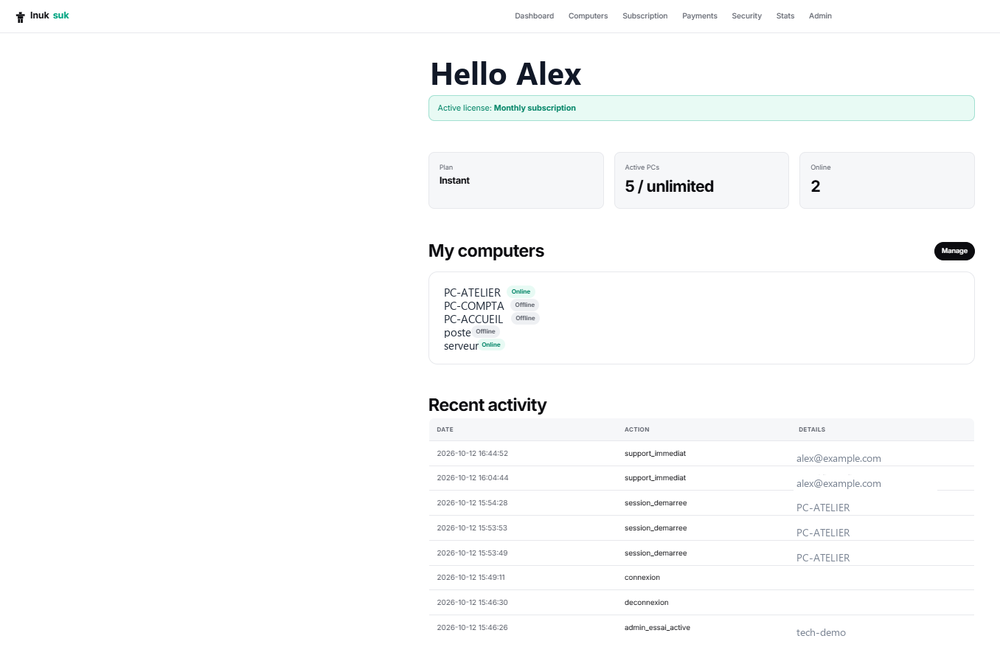
An audit log of who connected, when and to which machine is essential — for accountability, for the client's trust, and for responding to any incident.
4. Hashed passwords
Technician passwords must be stored hashed, never in plain text, so a database leak does not expose accounts.
5. Two-factor authentication
The technician account is the key to every machine, so protect it with two-factor authentication (for example TOTP). A stolen password alone should not be enough.
6. Least privilege on the client side
For one-off help, a portable program that runs without admin rights limits exposure. Install a privileged service only where permanent, unattended access is genuinely needed.
How Inuksuk handles this
Inuksuk uses an encrypted, certificate-pinned TLS relay, signed and expiring session tokens, logged sessions and hashed passwords, with optional TOTP two-factor authentication. The client side can run as a portable, no-admin program, with a service only when unattended access is required.
See also : Unattended access: how it works · Remote support software
Frequently asked questions
What makes remote support secure?
Encryption in transit (TLS), ideally with certificate pinning so the client only trusts the real relay; signed, short-lived session tokens; logged sessions for audit; hashed passwords; and two-factor authentication on the technician account.
What is certificate pinning and why does it matter?
Pinning means the software only trusts one specific certificate for the relay, not any certificate a network might present. It blocks man-in-the-middle interception even on a compromised network.
Should remote support sessions be logged?
Yes. An audit log of who connected, when and to which machine is essential for accountability and for responding to any incident.
Ready to get started?
Create your account and start your first session in minutes.