← Blog · Updated 2026-10-11
Unattended remote access: how it works
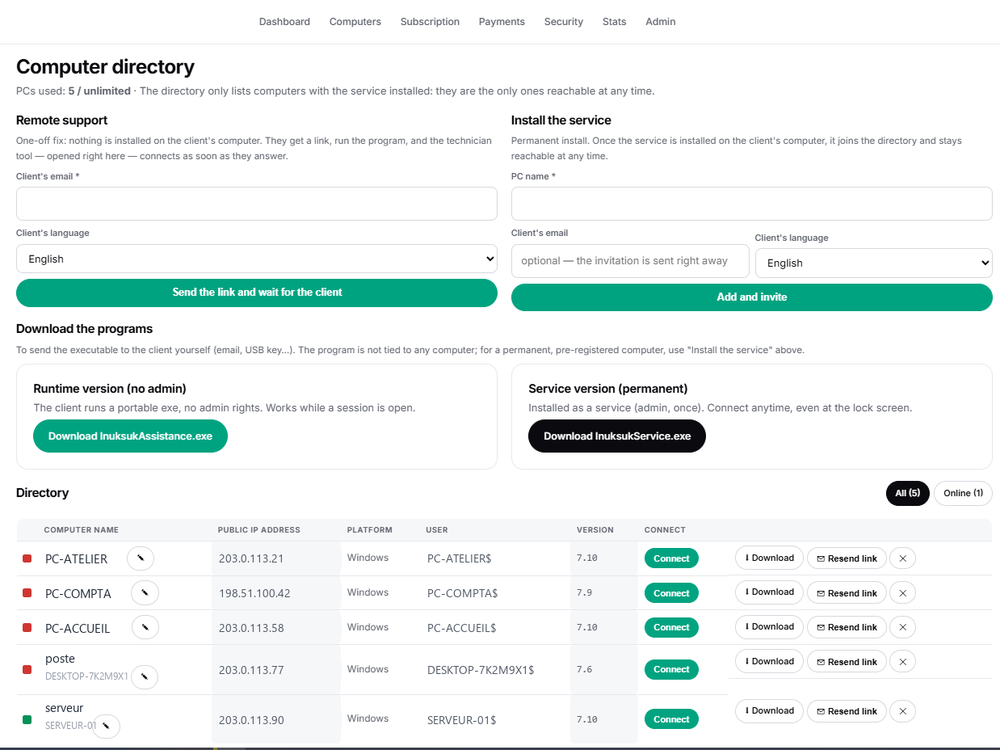
Unattended remote access lets a technician connect to a Windows machine anytime — even with nobody in front of it and even at the lock screen. It works thanks to a service installed on the machine, set up once with admin rights. Here is what that means in practice.
Attended vs unattended
Attended access means someone is present to launch a program and accept the session — perfect for one-off help. Unattended access means the machine is reachable on its own, with no one present — the right fit for servers, kiosks, self-service PCs and scheduled maintenance.
Why a Windows service
A program running only in a user session disappears when the user logs out or the screen locks. A Windows service starts with the system and keeps running regardless of who is logged in — that is what makes the machine reachable at any time.
The lock screen and the secure desktop
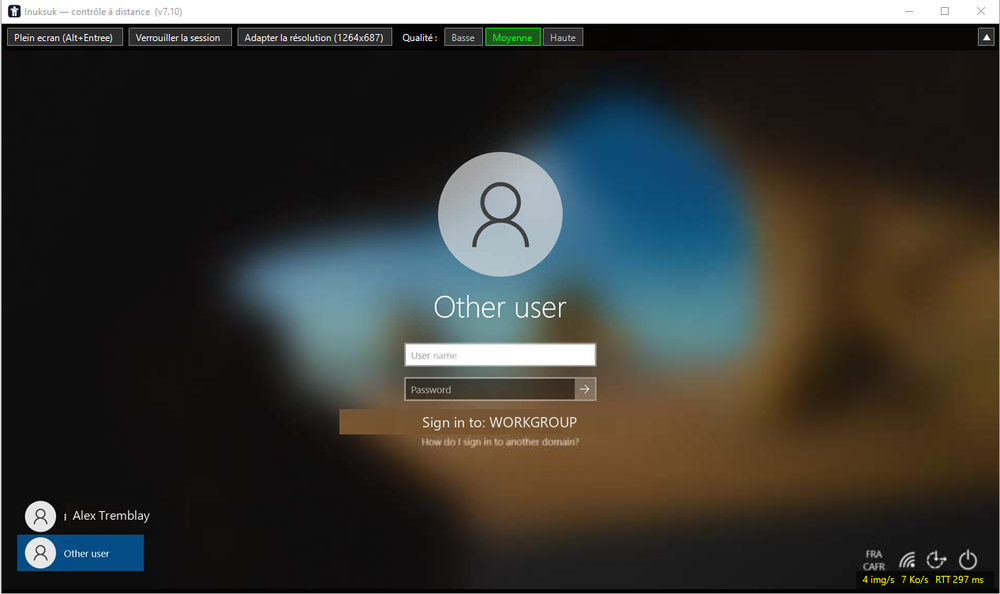
Windows shows a protected "secure desktop" for the lock screen and UAC prompts. Only a component with system rights can capture it. Because the service runs at that level, the technician keeps seeing and controlling the machine even while it is locked.
Keeping it safe
Unattended access is powerful, so it must be controlled: an encrypted relay with a pinned certificate, signed and expiring session tokens, logged sessions, and ideally two-factor authentication on the technician account. Install the service only on machines you are authorized to access.
See also : Unattended remote access · Remote support without installation
Frequently asked questions
What is unattended remote access?
It is the ability to connect to a computer at any time, even when nobody is sitting in front of it. On Windows it relies on a service installed on the machine that stays reachable after a one-time admin setup.
Why does it work at the lock screen when other tools do not?
A tool limited to the user session loses the screen when Windows locks. A service component runs with system rights and can capture the secure desktop — the lock screen and system prompts — so the session keeps working.
Does it work over Remote Desktop (RDP)?
Yes. The service captures the active desktop even when the machine is used through an RDP session, where many user-level tools fail.
Ready to get started?
Create your account and start your first session in minutes.