← Blog · Updated 2026-10-11
How to give remote support without any installation
To support a client's Windows PC without a heavy install, send them a link to a portable program, have them run it (no admin rights needed), and take control from a web portal. Nothing is permanently installed. Here is the full workflow and when to choose a permanent service instead.
Step 1 — Send a link, not an installer
From your technician portal, generate a link and send it to the client by email or chat. There is no setup wizard, no account for them to create, and no software catalogue to go through.
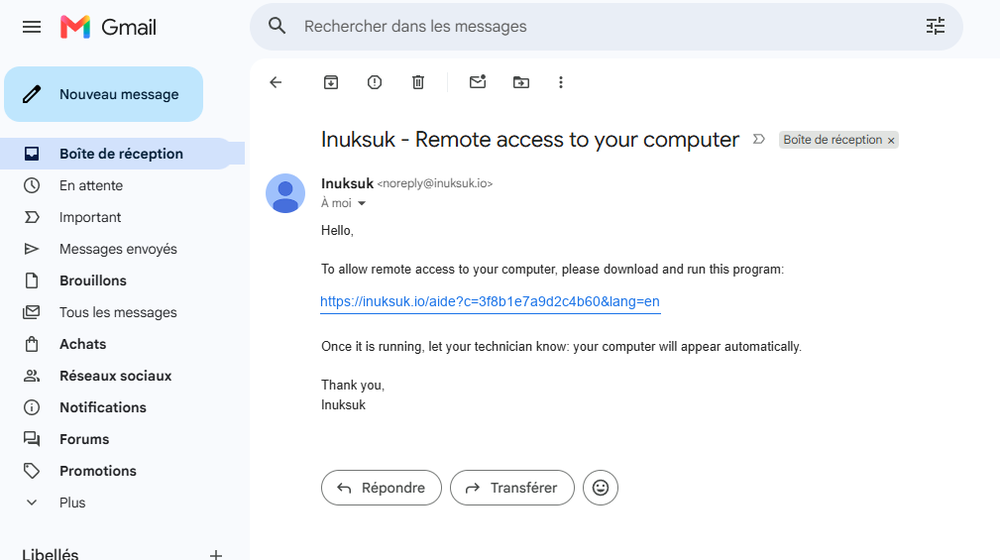
Step 2 — The client runs a portable program
The client opens the file and runs it. It launches in their own user session, with no administrator password. Nothing is written as a permanent install, so there is nothing to uninstall afterwards.
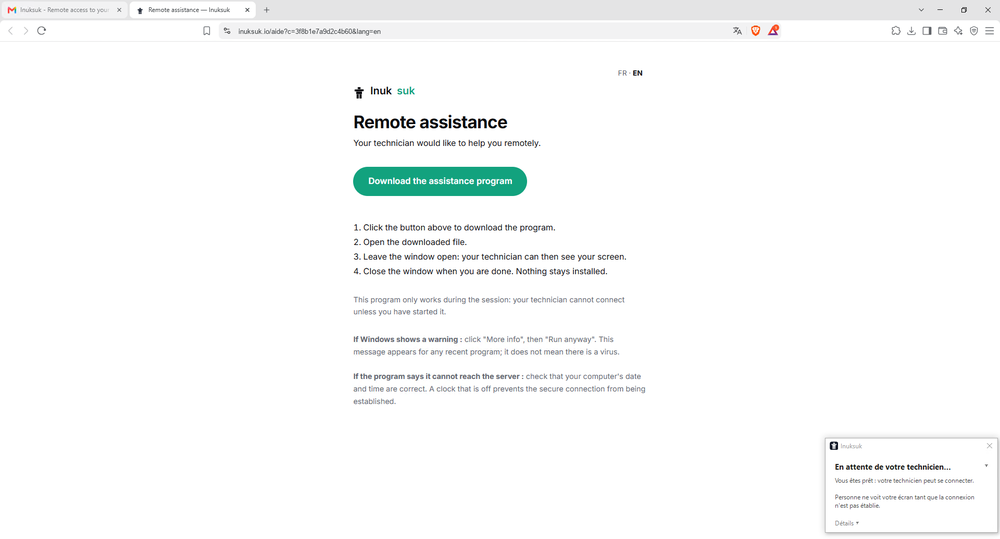
Step 3 — Take control from the portal
The PC appears in your portal. Start a session and you see and control the screen — mouse, keyboard, multi-monitor — to diagnose and fix the problem. The connection runs outbound through a secure relay, so there are no ports to open or firewalls to change.
When to choose a permanent service instead
If you need to reconnect regularly without the client being present, install the service version once (with admin rights). It then provides unattended access, even at the lock screen. For everything else, the portable, install-free path is simpler.
Good practices
Confirm who you are talking to before connecting, tell the client what you are about to do, and keep a record of each session. A tool that logs who connected, when and to which machine makes this effortless.
See also : Remote support with no install · Unattended remote access
Frequently asked questions
Does remote support really work without installing anything?
Yes. With a portable program, the client just runs a single file — nothing is permanently installed and no admin rights are needed. For recurring access you can later install a service, but it is optional.
Does the client need administrator rights?
No. The portable version runs inside the user's own session without an admin password, which is ideal when the client is not an administrator of their PC.
How do I connect again later without reinstalling?
For one-off help, the client re-runs the portable program when needed. For permanent, unattended access, install the service version once (with admin rights).
Ready to get started?
Create your account and start your first session in minutes.